Collect Datainterviewer
About Interviewer
Interviewer is the Network Canvas app for conducting in-person, interviewer-assisted network interviews on a device you control.
It runs in your web browser — open it at interviewer.networkcanvas.com with nothing to download — and can optionally be installed to your device as a Progressive Web App (PWA) for quick access and offline use.
Everything Interviewer stores — protocols, interviews, and settings — stays on the device, with no cloud sync or server component. You import protocols, run interviews, and export data all from within the app itself.
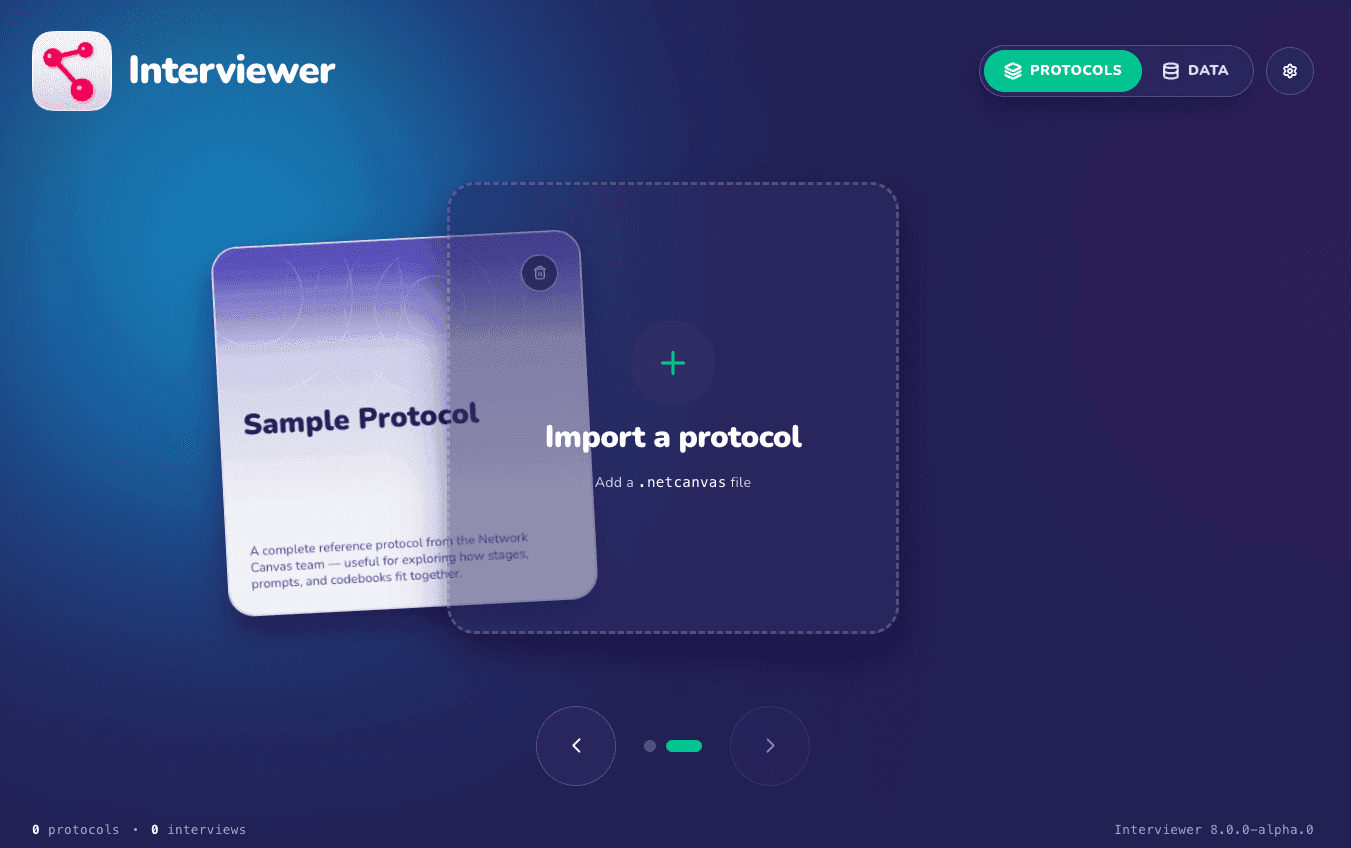
Jump straight in
If you would like to jump straight in, open Interviewer in your browser and try the built-in sample protocol — the Using Interviewer tutorial walks you through it step by step.
Otherwise, read on to learn what Interviewer does and how it fits into the Network Canvas ecosystem.
What is Interviewer?
Interviewer is an interview administration tool designed to be simple and intuitive for research participants, and to integrate with the rest of the Network Canvas suite of tools. It is the cornerstone of the Network Canvas project: its interfaces are optimized for the specific needs of network interviews, and it configures itself using the protocol files you design for your study.
Interviewer is built on the same platform as Fresco 4.0, bringing the updated interview experience to interviewer-assisted, on-device data collection. Where Fresco lets participants complete interviews remotely in their own browser, with data stored on a server you host, Interviewer is guided by a trained interviewer on a controlled device, with data stored on that device. See Running Interviews for a full comparison of the two apps.
Two versions of Interviewer
Interviewer comes in two supported versions:
- The current app runs in your web browser — installable to a device you control as a PWA — supports schema 8, and is recommended for all new studies.
- Interviewer Classic is the established desktop and tablet app you download and install on each device. It runs schema 7 protocols and works fully offline.
Which version can run a given protocol depends on its schema version — see Protocol Schema Information. The installation guide covers how to get each version, and Using Interviewer lets you switch between the two throughout the tutorial.
Key capabilities
- Runs schema-8 protocols from Architect — Interviewer is compatible with your existing protocols, and any protocol built against an older schema is migrated to schema 8 automatically on import, with a notification telling you the migration occurred.
- Offline-capable, with documented exceptions — once installed as a PWA, Interviewer remains available offline. Some schema-8 interfaces (such as Geospatial) need an internet connection during the interview, and protocol cards show a Requires internet indicator when a protocol uses them.
- On-device data, with app-level security — when you set up an app lock (a PIN, passphrase, or biometric), stored data is encrypted at rest with a key derived from your credential. See Data Storage and Safety for what this protects and what it doesn't.
- Data export to CSV and GraphML — export the sessions you select as a single
.ziparchive, with formats and options configured once in Settings → Data export. See the Data Export guide for what the exported files contain. - Synthetic data — generate fake interview sessions from any installed protocol so you can rehearse and validate your export pipeline before collecting real data.
Next steps
To get started with Interviewer, we recommend the following resources:
- Installing Interviewer — open the app in your browser or install it as a PWA, or download Interviewer Classic.
- Using Interviewer — a walkthrough of the sample protocol covering the participant-facing interview experience and the researcher-facing features of the app.
- Choosing a Hardware Device for Interviewer — advice on picking a device that gives participants a smooth interview experience.
- Data Storage and Safety — where your interview data lives, what protects it, and how to keep it safe in the field.
Should you encounter issues, we encourage you to use the search function at the top of each page, or visit our community forum for support.