Design Protocolsinterface documentation
Categorical Bin
- Type
- Name interpreter
- Creates
- Categorical attributes
- Uses Prompts
- Yes
- Schema
- v1+
- Available In
- Architect ClassicArchitectInterviewer ClassicInterviewerFresco
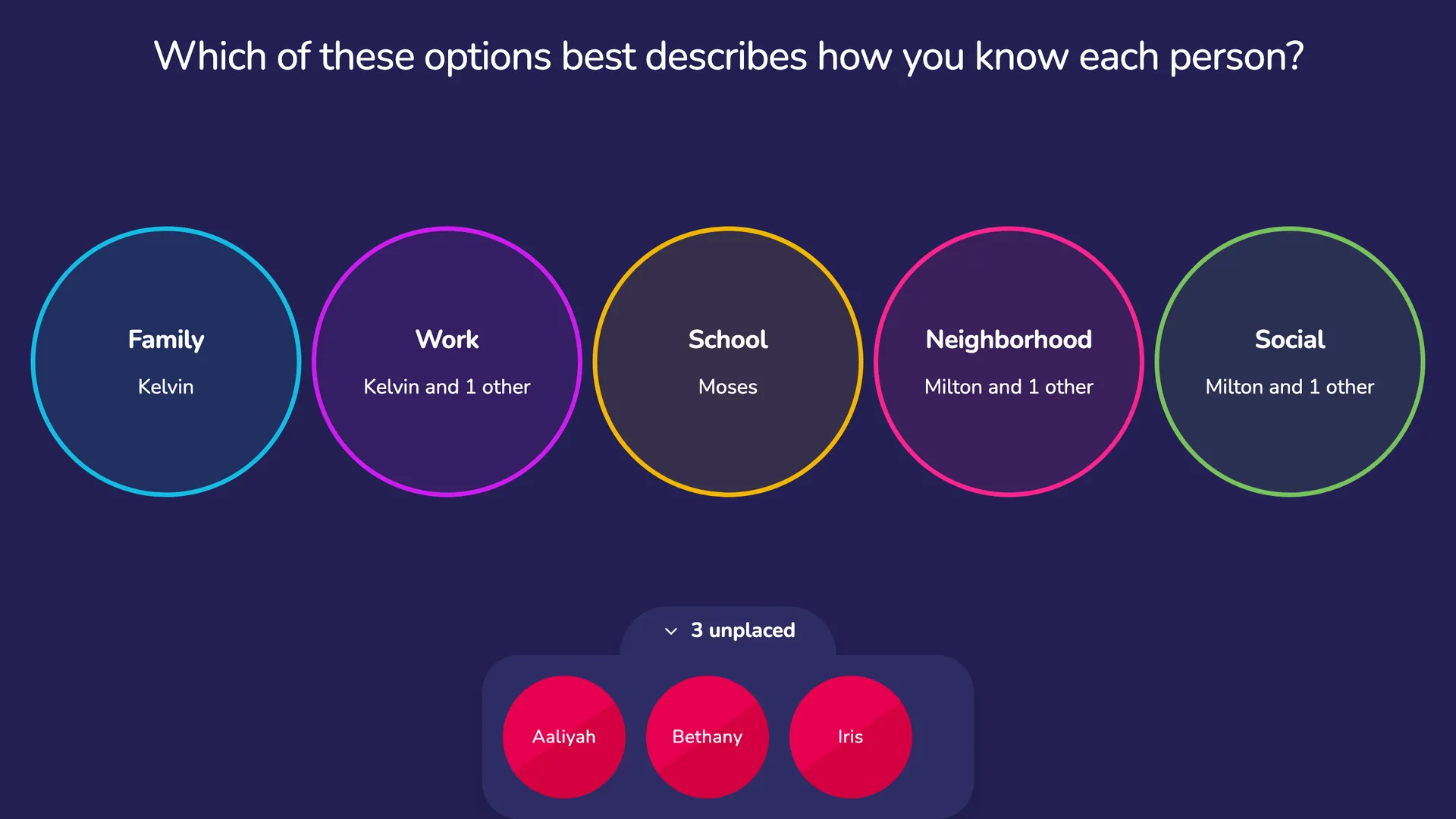
The Categorical Bin is a name interpreter Interface that collects nominal data on the alters in a participant's network. When using the Categorical Bin, participants drag and drop alters one-by-one into colorful circles which each represent a category of the categorical variable. Once placed, participants can tap on any category and move alters within that category to any other.
Configuring Categorical Bin
A Categorical Bin screen can include multiple prompts, each of which relates to a single categorical variable.
In Architect, the categories are the answer options of the prompt's categorical attribute, and you edit them directly under the attribute you chose, in the prompt dialog. They are saved when you save the prompt. Option labels accept bold and italic text, which participants see as emphasis.
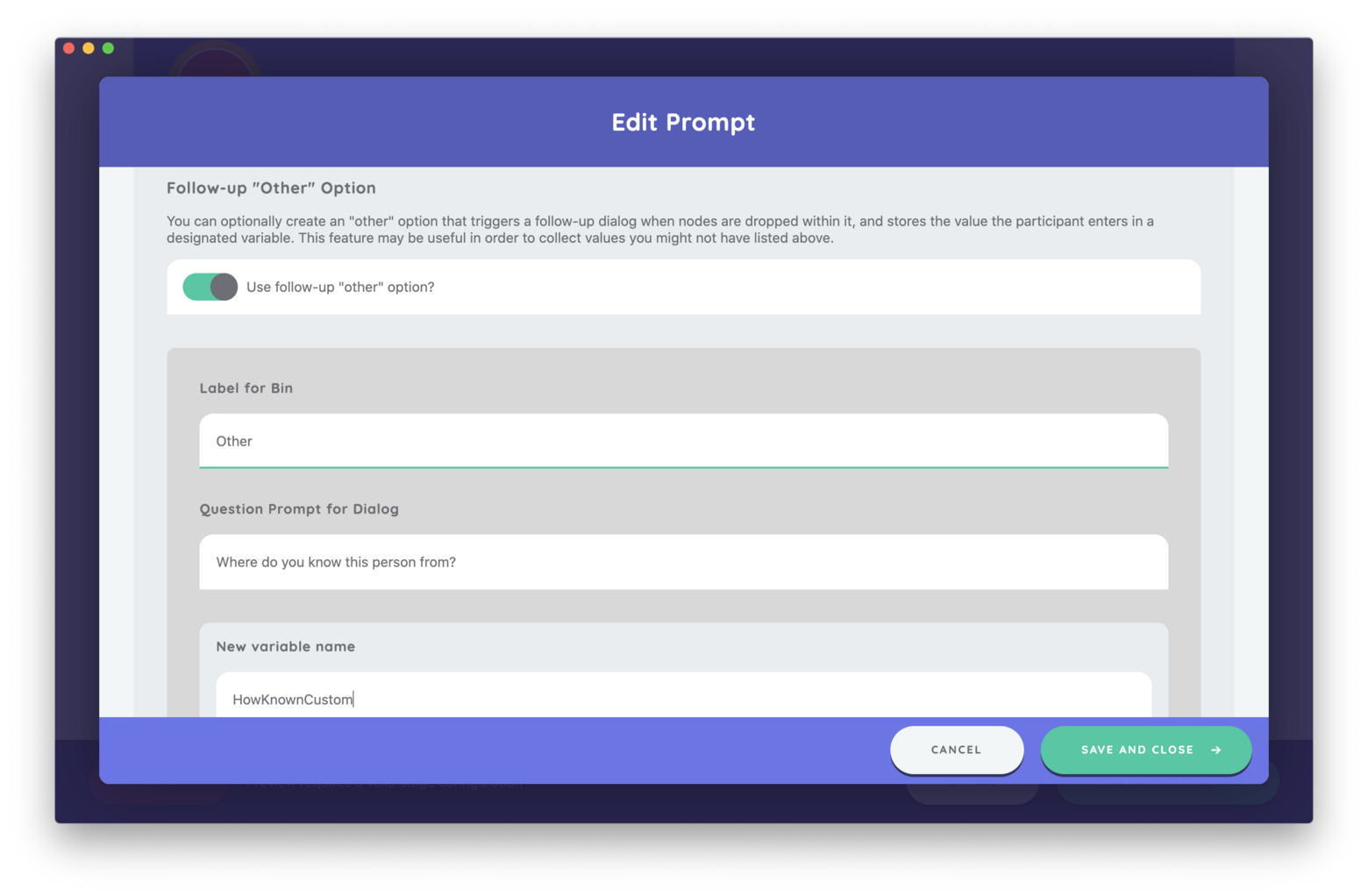
Additionally an other variable can be specified for custom responses that don't fit into the pre-configured categories.
Best Practices
Use this Interface to collect nominal data on alters. Although a Toggle Button Group can be added as an input control on other interfaces, the drag and drop functionality on the Categorical Bin provides a tactile method to capturing these data that is engaging for participants.
Try to Avoid
Avoid using more than eight categories on this Interface. More categories cause the category labels to be difficult to read and the other visual compromises on the Interface become compromised.
Category labels can be a good deal longer than a word or two — a short sentence is fine. Each label shrinks, a step at a time, to fit the space its bin has rather than being cut off mid-word, and a screen reader always reads the whole label. That shrinking has a smallest size, though: a label long enough to overflow its bin even at that size is clipped, which is most likely with many bins or on a small screen. Check your longest label in preview at the size participants will use. Short labels stay larger and are easier to read at a glance.
Avoid using the Categorical Bin to capture dichotomous variables. Dichotomous variables are best captured using the Toggle input control (on a Name Generator or Per Alter Form) or using the variable toggling feature on the Sociogram.