Design Protocolsinterface documentation
Narrative
- Type
- Data Visualization
- Creates
- Does not create data
- Uses Prompts
- No
- Schema
- v1+
- Available In
- Architect ClassicArchitectInterviewer ClassicInterviewerFresco
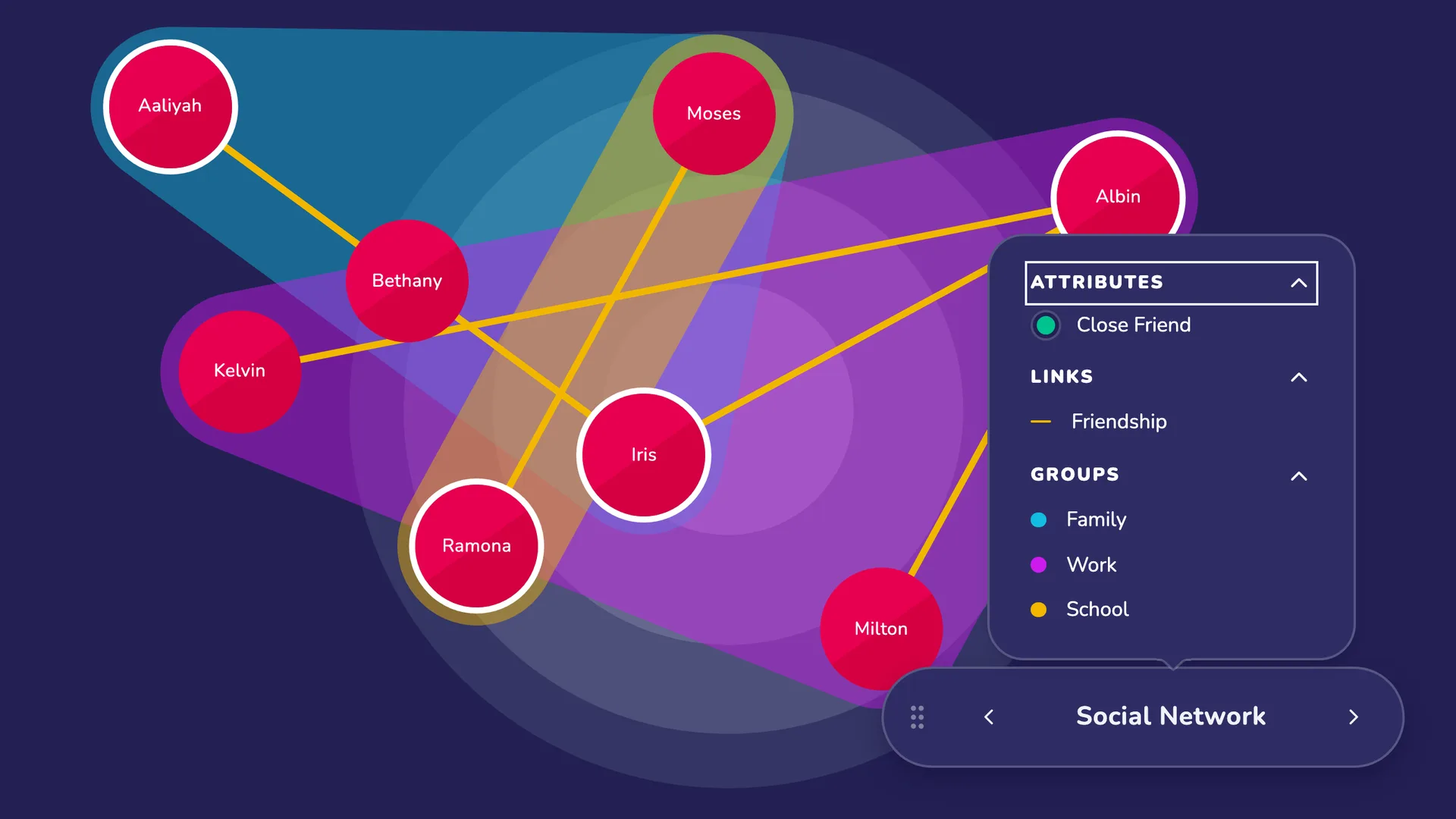
The Narrative and the Sociogram are Network Canvas's two canvas-based visualization interfaces. On the Sociogram, participants build the spatial picture of their network by positioning alters and drawing the ties between them. The Narrative is its display-only companion: it takes a network the participant has already laid out — commonly on a Sociogram — and represents it back to them for open, researcher-led discussion. It records no new data of its own.
Because it collects nothing, the Narrative is built for qualitative work. It maps data gathered elsewhere in the interview onto the visual network — group memberships, attributes, and edge types — so that the participant and researcher can talk through the picture together and interrogate what it shows.
Presets
Everything you configure on the Narrative lives in one or more presets. A preset is a saved view of the network that combines up to four ingredients:
| Ingredient | What it does |
|---|---|
| Layout (required) | A layout variable that positions the nodes. Only alters that already have a value for this variable appear, so choose one an earlier stage populated — for example the layout variable a Sociogram prompt wrote. |
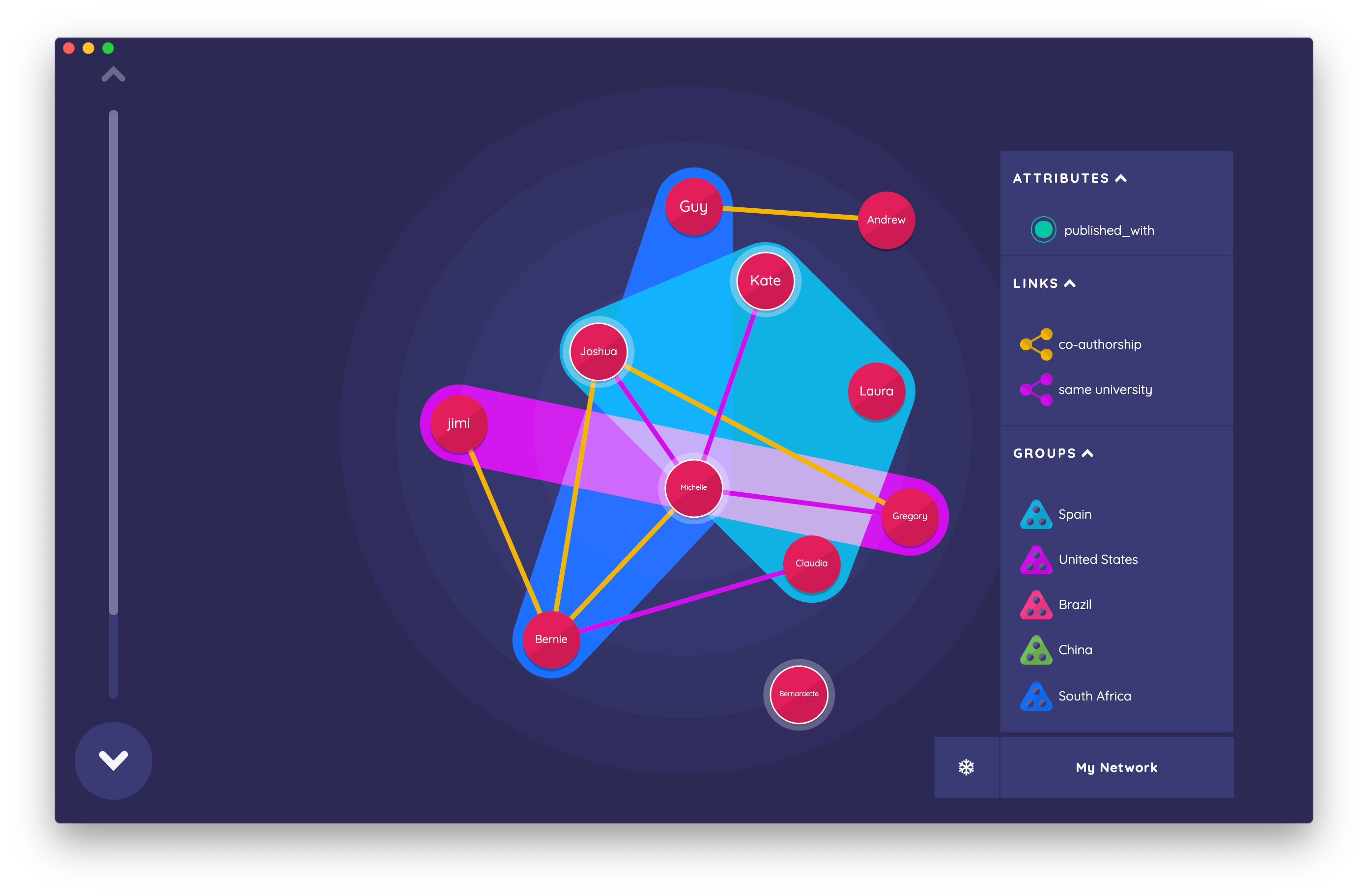
| Groups (optional) | A categorical variable drawn as semi-transparent, colored convex hulls behind the nodes that share each value. A node with several values appears inside several overlapping hulls. |
| Links (optional) | One or more edge types to draw between the nodes. |
| Attributes (optional) | One or more boolean variables. Nodes whose value is true are highlighted while the preset is active. |
Each preset has a label that identifies it in the interface. During the interview, a floating preset switcher lets the researcher or participant step between presets and toggle the groups, links, and highlighted attributes on and off. Where a preset lists several highlight attributes, they choose which one to show at a time. Nothing done here is written back to the data — the Narrative only ever reads.
Configuring presets in Architect
A Narrative needs at least one preset. For each preset you set:
- Preset Label — a short, participant-visible name shown in the preset switcher.
- Layout Variable — the variable used to position the nodes for this preset.
- Group Variable (optional) — a categorical variable used to draw convex hulls around the nodes that share each value.
- Display Edges (optional) — one or more edge types to draw.
- Highlight Node Attributes (optional) — one or more boolean variables; nodes whose value is true are highlighted while the preset is active.
The group, edge, and highlight options each pick from the variables already in your codebook, so define the variables a preset needs before you build it.
Background
Like the Sociogram, a Narrative stage can sit on either a series of concentric circles or a custom background image. A responsive SVG works best as an image background, because it keeps regions and labels readable as the canvas changes shape. See Responsive SVG Backgrounds for how to prepare one.
Behaviors
Three stage-level behaviors change how participants can interact with the canvas:
- Automatic layout applies a force-directed layout that gently refines the stored node positions and draws grouped nodes together into their hulls. With it off, the positions from the layout variable are shown as they were laid out.
- Allow repositioning lets the participant drag nodes around the canvas.
- Free-draw turns on annotation tools, so the participant or researcher can draw freehand over the network with a mouse, finger, or stylus.
Designing presets around your research questions
A preset is a lens on the network, so design each one to open a specific line of questioning you want to raise in the interview. Keep each preset focused — one clear idea per view is easier for a participant to read and easier for you to talk about.
Give each preset a single focus that maps to one question, and label it accordingly — for example a "Support" preset that highlights who provides support, or a "Groups" preset that shows how the network divides into communities. The label is visible to the participant, so a short, meaningful name helps them follow the conversation as you switch views.
Because the Narrative only shows alters that have a value for the preset's layout variable, reuse the layout variable your participants populated on an earlier Sociogram. This replays their own arrangement of the network rather than starting from an empty canvas.
Capturing the conversation
Free-draw annotations are a live discussion aid, not saved data. An annotation fades after a few seconds unless you freeze it, and nothing drawn on the canvas is recorded with the interview. Because the Narrative collects nothing itself, plan separately for how you will capture the discussion it prompts — for example by using screen-recording and audio-recording software to keep a record of what is said and drawn.
Try to Avoid
Don't rely on the Narrative to collect data. It is display-only; if you need to record an attribute or a tie a participant identifies while talking, gather it on a data-collecting stage such as the Sociogram or a name interpreter.
Avoid crowding a single preset with every group, edge type, and attribute at once. A dense view is hard to read and hard to discuss. Separate concerns into distinct presets and switch between them.