Get Started 🠖 advanced topics
Protocol Schema Information
Summary
This article will explain the concept of "protocol schemas", including what they are, why we need them, and how to work with schema version requirements within our apps.
Although every effort is made to maintain compatibility with new schema versions, any features implemented that require a schema update will be unavailable to you until you migrate your protocol. We strongly encourage you to update your protocol files wherever possible, so that you are able to use the newest Network Canvas features.
The current, latest protocol schema version is 8. Schema 8 is supported by Architect, Fresco, and Interviewer. It is not supported by Architect Classic or Interviewer Classic, which support schema 7 and earlier. See Schema version 8 below for details.
Take Care!
Users running Interviewer classic on iPadOS and Android: We urge you to follow the advice set out in the configuring devices prior to starting data collection article, and to disable automatic app updates so that you are not caught out by breaking changes that result from new protocol schema versions.
This is essential if users wish to continue using a particular version of an app to ensure it remains compatible with their existing protocols (rollback to prior versions is not possible on these platforms!).
What is a protocol schema?
Fresco, Interviewer and Architect all implement a feature that allows us to verify a protocol file is correct by comparing it against a known set rules, called a "schema". This feature exists so that we can guarantee that a protocol authored in Architect will work in Interviewer and Fresco. When a protocol is used within Architect or Interviewer, it is validated against a schema. Unexpected values, properties, or structures will trigger various types of warning or error message.
Why do we need protocol schema versions?
We need to "version" Network Canvas protocol schemas so that we can add or change features as we develop them. This applies when implementing a new interface, or changing the way that an existing function, such as skip logic, works. Simply changing an existing schema would give the software no way to know which properties and configuration to expect, which would lead to a crash.
We also adopted schemas in an effort to ensure stability and consistency within the functioning of the software. If a protocol is valid according to its schema, it should function without issues.
Our priority when implementing schema versioning has been to not burden the end user, either through creating "maintenance work" (for example by requiring older protocols to be updated manually), or by disrupting your workflow (for example by preventing existing protocols from functioning). For this reason, Architect, Interviewer, and Fresco all automatically update your protocols to the latest schema version when you import or open them.
What it means for you
When you update Interviewer or Architect, you may encounter messages when using protocols that were authored in prior versions of the apps.
Within Interviewer
In Interviewer, you may see a blue light bulb icon, or a red robot icon, on your protocol card. Where a new schema is backward-compatible with a prior version you will see a blue light bulb, and Interviewer will continue to support installing and running protocols of that version without any issues. This means that if you are happy with your protocol file you do not need to take any action. Your protocol will continue to function as before, albeit without access to new functionality implemented with the new schema version (see the schema versions table below for details on this).
If you wish to update the protocol file to the new schema version, follow the instructions provided below under migrating a protocol.
If your protocol is no longer compatible with the version of Interviewer that you have installed, you will see a red robot icon, and will no longer be able to start an interview. Please see the section below on handling obsolete protocols for further assistance.
Within Architect
In Architect, you may see a prompt that a protocol must be migrated to a newer version before it can be opened (see below).
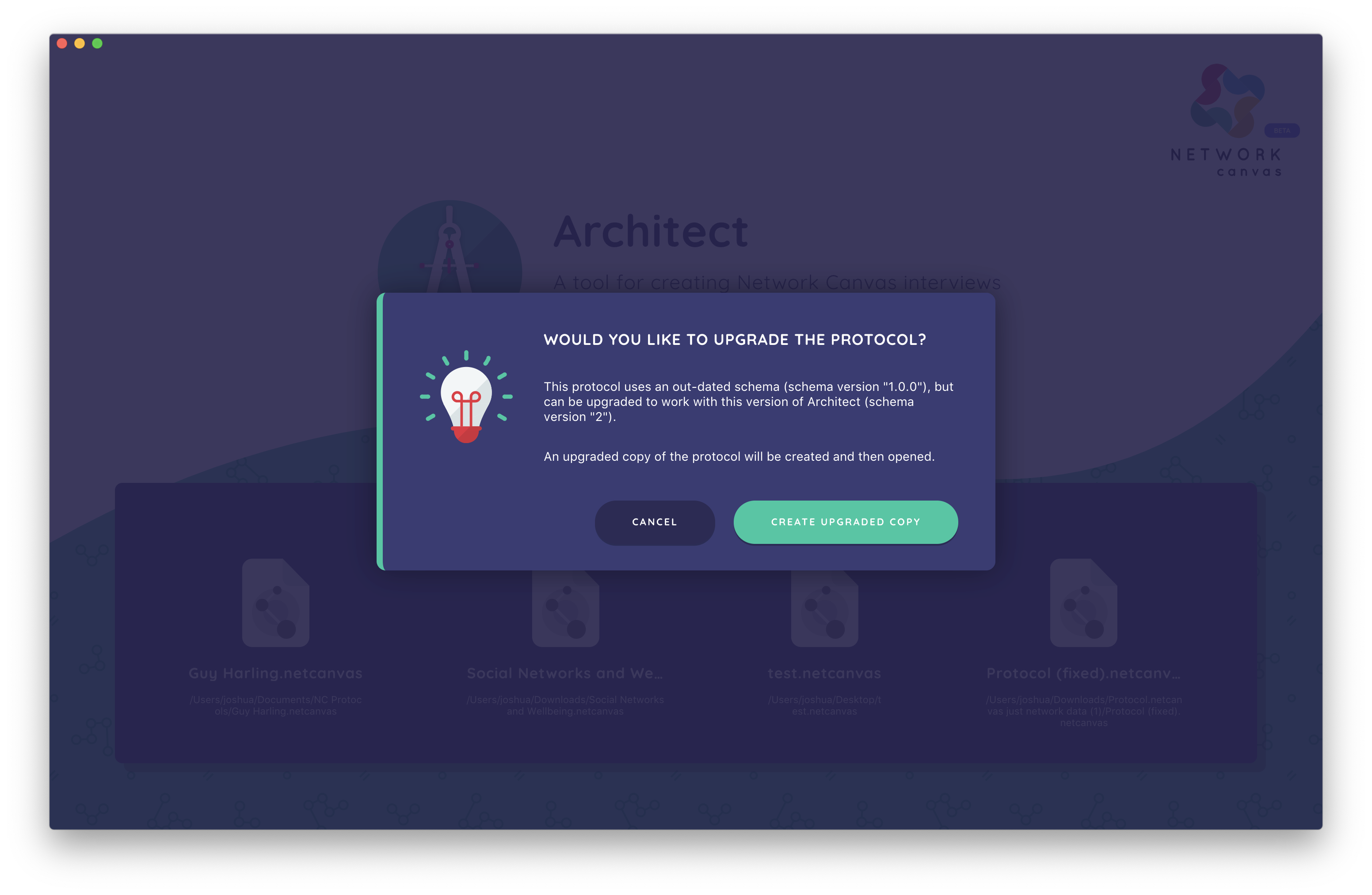
If you wish to update their protocol file to the new schema version, follow the instructions provided below under migrating a protocol.
If you would like to continue editing this protocol without migrating it to the latest version, keep it in Architect Classic, which works with schema 7. (Architect, the browser app, always runs the latest version and will migrate the protocol to schema 8.) For older schema versions, see the GitHub releases page for an archive of past Architect Classic versions, and consult the compatibility table for information about which version you need.
Handling obsolete protocols
Although we aim to always make schema changes that are backward-compatible, this can be unavoidable if we need to substantially revise a feature. If a new schema version is implemented that is not backward-compatible, the user interface in Interviewer will mark the protocol as "obsolete" and will no longer allow new interview sessions to be started. Although this is obviously undesirable, all existing session data will continue to be exportable from a protocol in this state. Review the section below to understand your options in this scenario.
Although obsolete protocols will still be able to be migrated to the latest schema version by Architect, in some cases manual intervention or updating may be required. For example, if we add required properties to the protocol that cannot be derived from existing properties, you may need to create these yourself. Please contact us if you have encountered an issue, or have specific concerns about this.
What to do if your protocol is marked as obsolete
If your protocol is marked as obsolete, and you wish to continue collecting data using it, you have two options:
- Migrate the protocol to a later version, which is compatible with your version of Interviewer. See migrating a protocol below for this.
- Downgrade an older version of Interviewer, by uninstalling your current version, and downloading the version you require from our GitHub releases page. As per the warning at the start of this article, downgrading is not possible on iOS or Android platforms. If you have mistakenly upgraded your Interviewer version on these platforms causing your protocol to become obsolete, your only choice is to migrate your protocol to the latest schema version and to redeploy it.
Migrating a protocol
Migrating a protocol happens within Architect, Fresco, and Interviewer, and is automatic. How it works depends on which app you use:
In Architect (the browser app), Fresco, and Interviewer, migration is automatic and requires no setup — these apps always run the latest version. When you open or import a protocol built on an older schema, it is upgraded to the current schema in place. In Architect, the upgraded protocol is saved to your browser library; Download a .netcanvas copy if you want a backup or need to move it to another app.
In Architect Classic, migration works on files you manage yourself:
- Ensure you are on the latest version of Architect Classic. When opening the app with an active internet connection, it will check for updates automatically, and notify you if any are found. Alternatively, you can manually update it by visiting our download page and installing the latest version for your platform.
- Once you are running the latest version, open the protocol file that you wish to migrate.
- Architect Classic will inform you that the protocol file can be upgraded, which happens by creating a copy (so that your original file is preserved). If you choose to continue, you will be prompted for a location to save your upgraded protocol.
- Architect Classic will automatically append "(schema version X)" to the filename, which may help you to keep track of the different versions of your protocol, and to differentiate them within Interviewer.
Schema version 8
Schema version 8 is the current, latest protocol schema version. Support for it depends on which apps you use:
- Architect, Fresco, and Interviewer support schema 8, and can migrate all prior schema versions.
- Architect Classic and Interviewer Classic support schema 7 and earlier.
This has two practical consequences:
- To create or edit a schema 8 protocol, you must use Architect. Architect Classic cannot create, open, or migrate protocols to schema 8.
- A schema 8 protocol can only be run in Fresco or Interviewer. The older Interviewer Classic desktop and tablet apps cannot run schema 8 protocols, and will mark them as incompatible/unsupported.
Both Fresco and Interviewer accept schema 7 and schema 8 protocols (anything older is rejected), so your existing protocols continue to work without a manual migration step. When Fresco or Interviewer imports a schema 7 .netcanvas file, it automatically upgrades it to schema 8 in place.
Take Care!
If you open a schema 8 protocol in Architect Classic, or attempt to install one in Interviewer Classic, it will be reported as incompatible/unsupported. If you need to continue working in the older desktop apps, keep your protocols on schema 7 — or move to Architect and Interviewer, which support schema 8.
What's new in schema 8
Schema version 8 introduces several new interfaces and authoring features:
- New "Geospatial" interface. Allows the participant to select a location on a map based on a GeoJSON shapefile.
- New experimental "Anonymisation" interface. Allows the participant to encrypt sensitive or identifiable information so that it cannot be read by the researcher. This is not enabled by default — contact the team for details.
- New "One-to-many dyad census" interface. Allows the participant to link multiple alters at a time.
- New "Family pedigree" interface. A pedigree-building interface designed for genetic disease monitoring, with configurable node and edge types, relationship variables, and optional disease/condition nomination prompts.
- New form-field validation options:
greaterThanVariableandlessThanVariable. - New
locationvariable type. Stores the geospatial area a participant selects on the Geospatial interface; it has no input control of its own and is created when you configure a Geospatial stage. - New per-variable
encryptedflag. Marks a variable's values for on-device encryption; it is set via the experimental Anonymisation interface rather than the general variable editor. - New comparator options for skip logic and filters: "contains" and "does not contain".
- Targeted skip-logic destinations. When a stage is hidden, the interview can continue at the next available stage, jump to a selected later stage, or route to the interview finish screen. Destinations must point forward.
- Multi-selection support for the "includes"/"excludes" comparators on ordinal and categorical variables.
- Configurable default and variable-driven node shapes. Choose circle, square, or diamond as a node type's default, or map its shape from a node variable. The previous
iconVariantproperty was renamed toicon. - Optional "hint" property on form fields (a markdown string shown as extra guidance to participants), plus a
showValidationHintsoption to automatically display hints derived from validation rules. - New top-level
experimentsfield on protocols. A JSON channel (default{}) that carries protocol-level experiment/feature toggles consumed by the interview engine, allowing opt-in interview behaviours to be introduced without further schema changes. - Various cleanup: removed the deprecated, unused
displayVariableproperty and the unusedoptionsproperty on boolean Toggle variables; filter rule entity naming was standardized; and anameproperty is now required on the protocol.
Good to know:
Targeted skip-logic destinations are an in-place extension to schema 8 and are a launch feature of Fresco 4.0. Use protocols containing a destination only with Fresco 4.0 or later, or with the corresponding Architect and Interviewer releases. Older strict schema-8 validators will reject the new property; schema-8 protocols without a destination remain compatible.
Compatibility Table
Consult the table below for information about which schema versions are supported by each released version of the Network Canvas software. Note that schema 8 is no longer tied to specific Architect Classic / Interviewer Classic version numbers — it is supported by the Architect and Fresco web apps and by Interviewer.
| Schema Version | Features | Architect Versions | Interviewer Versions |
|---|---|---|---|
| 8 | New Geospatial, experimental Anonymisation, One-to-many dyad census, and Family pedigree interfaces. New greaterThanVariable/lessThanVariable validation, "contains"/"does not contain" comparators, and targeted skip-logic destinations. Configurable default and variable-driven node shapes, and form-field hints. | Architect | Fresco 4.0+, Interviewer |
| 7 | Minimum/maximum alter counts on name generators. Additional skip logic options for categorical variables. | 6.4.0 | > 6.3.0 |
| 6 | New "roster name generator" interface. Automatic node layout on the sociogram. | 6.3.0, 6.3.1 | > 6.2.0 |
| 5 | Supports "tie-strength census" interface. Adds "unique", "same as", and "different from" validation options. Adds the interview script section. | 6.1.0, 6.1.1, 6.2.0, 6.2.1, 6.2.2 | > 6.1.0 |
| 4 | Initial stable release schema. Introduces stricter variable naming requirements. | 6.0.0, 6.0.1, 6.0.2, 6.0.3 | > 6.0.0 |
| 1.0.0 | Obsolete alpha schema. |
Technical implementation of schema migration
The following section may be useful if you are attempting to understand how schema migration is performed on a technical level. In rare cases, this may help you to troubleshoot an issue with a migrated protocol yourself, should you wish.
- A migration between two sequential schema versions is a functional transformation of the protocol object. These transformations are written as simple functions that take a protocol object, mutate it, and return the mutated protocol. Migration functions are defined in the protocol-validation submodule.
- Transformations can be chained together, meaning that a protocol can be migrated from version 1 to version n by applying all transformations in between in sequence [1 … n].
- We plan a parallel system of "patching", which will use the same technique as migration, but is designed to address any data corruption issues caused as a result of bugs in Architect. Patches are designed to fix protocol issues without updating the schema version.